How to disable an intrusion alarm?
How to disable an intrusion alarm?
Introduction
This article targets entry-level to mid-range wireless home intrusion alarms that communicate on the ISM 433 MHz band.
The two attacks presented (replay and jamming) work on most of these systems. High-end alarms include countermeasures (rolling code, frequency hopping, jamming detection) that make these attacks harder, but not impossible.
Legal Notice
Before going further, a quick legal reminder:
Accessing an automated data processing computer system without the owner’s permission is illegal.
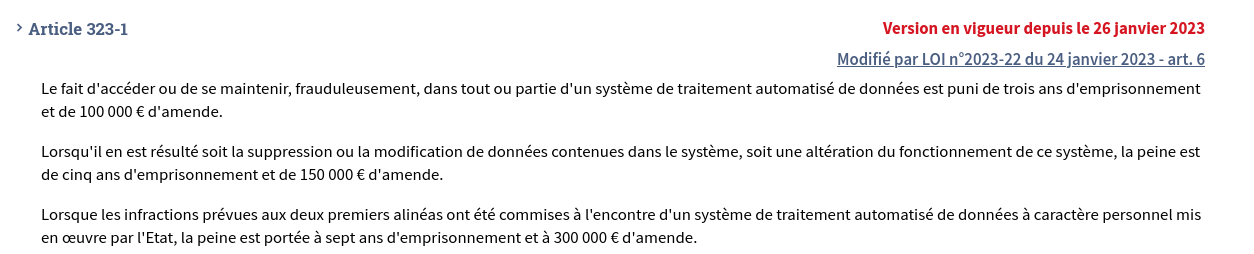
This applies regardless of the reason and regardless of the system. The demonstrations shown here were performed on hardware I own.
Do not reproduce these steps without written authorization from the owner.
How a home intrusion alarm works
Almost all wireless home alarms follow the same model:
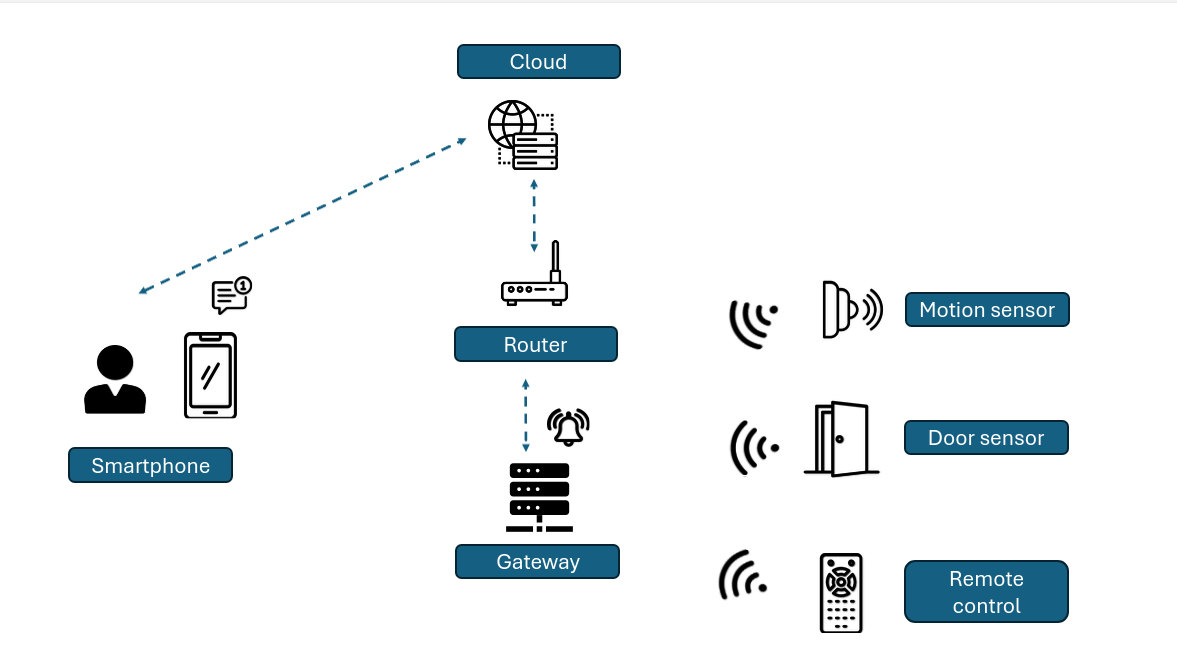
The idea is simple. When a motion sensor detects movement or a door/window sensor detects an opening, a radio signal is sent to the gateway (the control panel).
- If the alarm is armed, it triggers.
- If it’s disarmed, the panel receives the signal but does nothing.
The remote control or keypad sends a radio signal to the panel to arm or disarm it. This signal is not always encrypted, and that’s what we’ll focus on in this article.
The communication technologies used between devices and the panel vary:
- RF 433 MHz
- RF 868 MHz
- Zigbee
- Bluetooth
We’ll focus on 433 MHz, the most common technology in the consumer market and the one with the most vulnerabilities.
Detecting an Intrusion Alarm
Detecting a 433 MHz alarm is fairly easy. Just place a radio receiver near the property and watch the spectrum for a day or two. If an alarm is present, many signals will appear during the times when the occupants are active.
Surveillance Implant
The 433 MHz band requires very little hardware to analyze. Two options:
- SDR + Raspberry Pi
- Flipper Zero
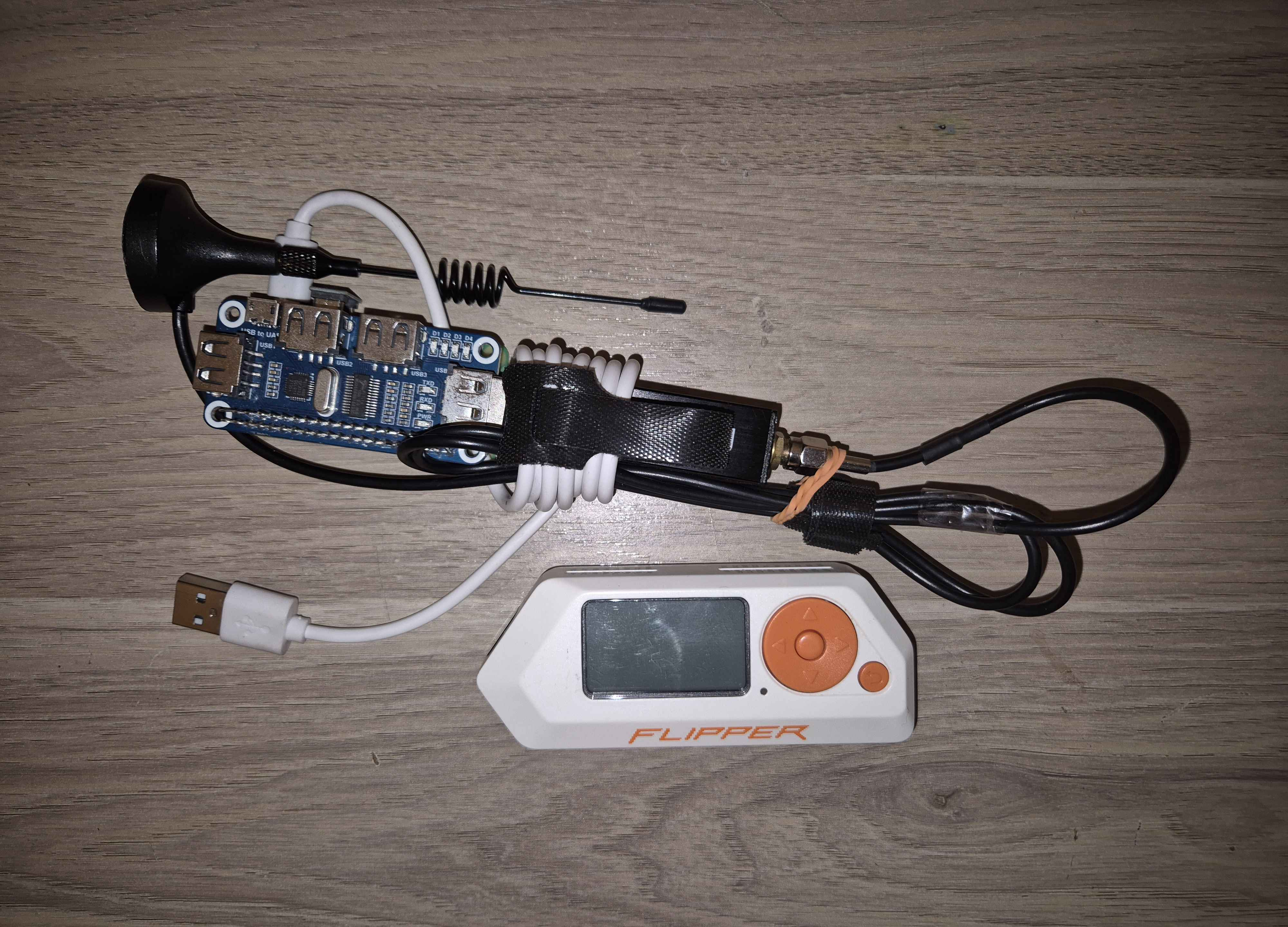
SDR + Raspberry Pi
An SDR (Software Defined Radio) is a software-controlled radio receiver. In this case, the SDR (NESDR Smart) is receive-only. It costs around 50 euros. If you need both receive and transmit, the HackRF will do the job but costs more (around 600 euros).
This implant has a range of about 10 to 15 meters depending on the antenna, which is usually enough if you place it in a garden near the house.
You’ll also need to connect the implant to a power bank to run it.
On the Raspberry Pi, just install rtl_433, available on GitHub or via sudo apt install rtl-433.
Then set up a cron job to launch rtl_433 at startup:
1
2
crontab -e
@reboot sleep 300 && /usr/bin/rtl_433 -f 433920000 -S all
Each time a new signal is detected on 433.92 MHz, rtl_433 will save it to a new file.
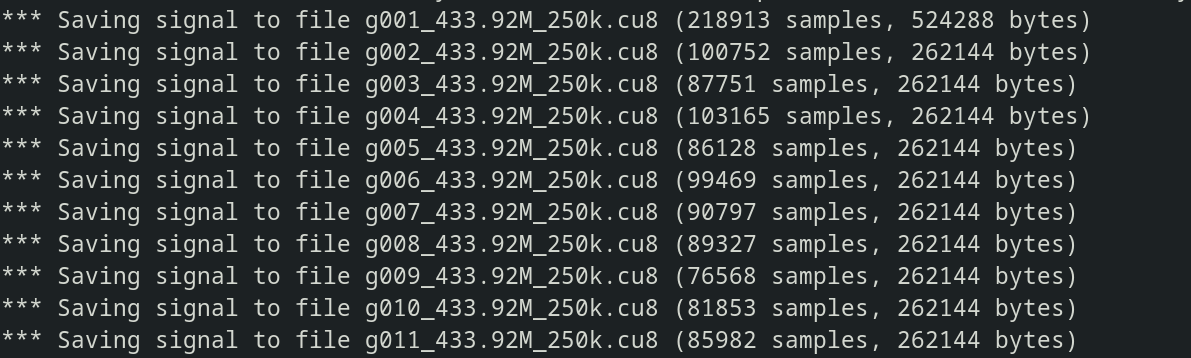
You’ll then need to decode the signals. For that, check out my article on RF433 key reverse engineering.
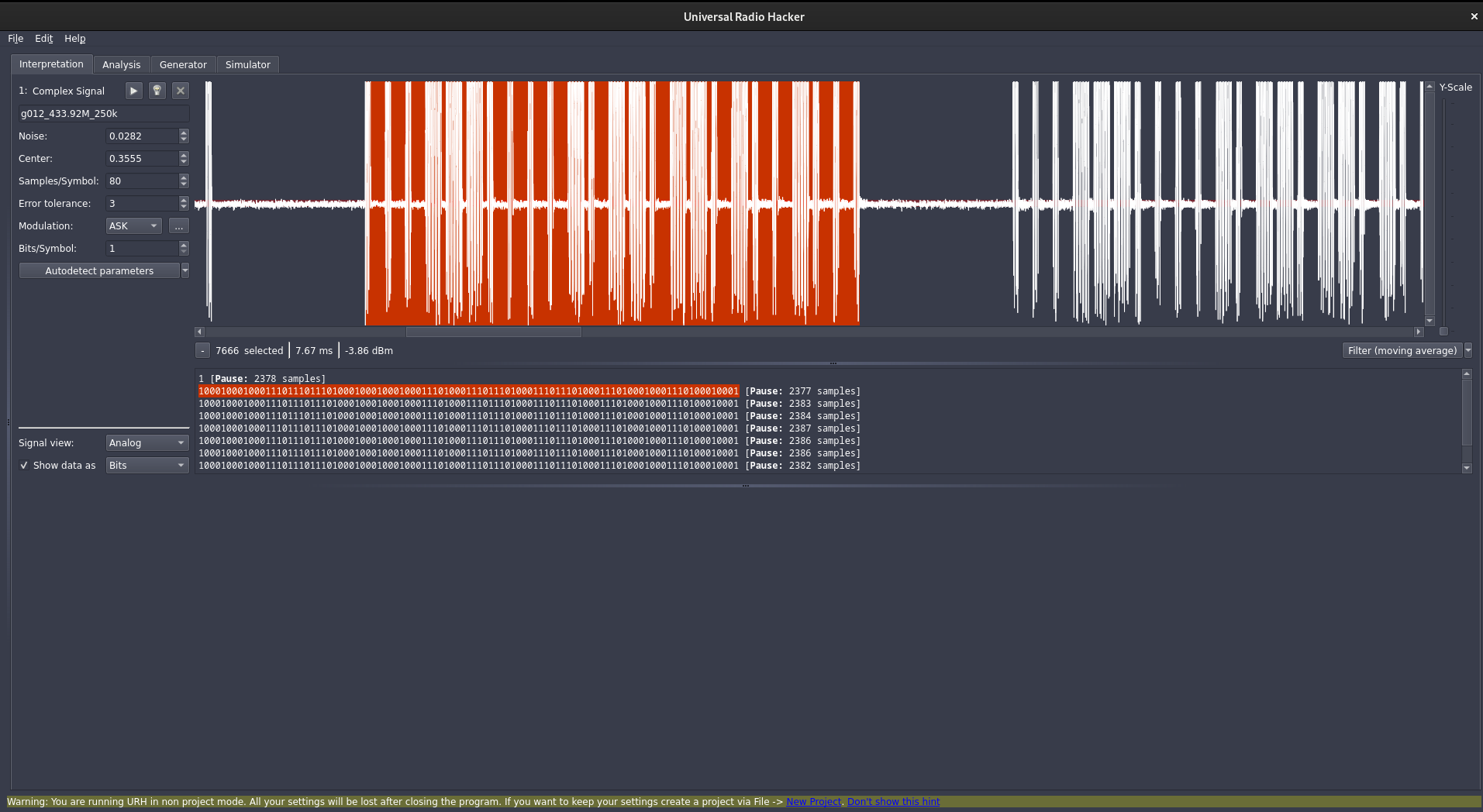
RF433 Remote Reverse Engineering
Flipper Zero
Even simpler, let’s use every hacker’s favorite penguin (lol). It’s a handy Swiss Army knife. Compared to the previous setup, it’s more compact and has great battery life without needing a power bank.
Downside: the range is limited to about 5 meters on 433 MHz.
Analyzing the results
After a few days, you retrieve your implant and analyze the captured signals.
For example, if your implant was a Flipper Zero, here’s what you’d see:
You can see all the details of the captured signals.
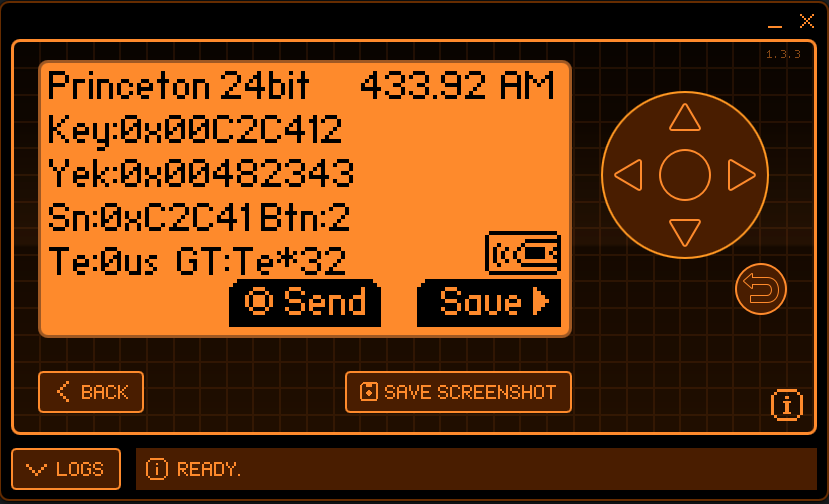
Note: with the Flipper Zero in Read mode, the captured signal can’t be directly used for a replay attack, unlike signals captured with an SDR. That’s why I prefer the SDR for an implant.
Fortunately, it’s fairly easy to create a valid signal from the data collected and the RF433 reverse engineering article I wrote.
RF433 Remote Reverse Engineering
In general, the hardest part of deploying an implant is placing it close enough to the alarm and its sensors without the target finding it. Choosing the hiding spot is up to your imagination.
Passive Mapping
Using our implant, we can map all the radio devices in the alarm system by analyzing signals over time.
With all these indicators, it’s very often possible with a bit of reasoning to passively map the alarm system of our target.
- Motion sensors
When the occupants are home and awake, the motion sensor signal is emitted frequently. Without a rolling code, this signal is identical every time and is not encrypted.
- Remote control / keypad
Another signal appears only once or twice a day, at the times when occupants leave and return: this is the arm or disarm signal.
The arm and disarm signals look very similar, differing by just one or two bytes. This is a recognizable pattern that helps identify a remote control or keypad signal. We’ll decode them in the next section.
When you type your code on a keypad, the keypad checks if the code is correct. If it is, it sends a signal of the same format to the panel. When you arm the alarm, it works the same way. A keypad is essentially a kind of remote control.
- Door sensors
The door sensor will almost always trigger just before or after the remote control signal. For example, you arm the alarm and walk out (arm signal then door sensor), or you come home and disarm the alarm on the keypad after opening the door (door sensor then disarm signal).
- Window sensors
Window sensors are more random and may not appear at all during the capture period. Not everyone opens their windows every day, let alone at the same time.
Signal Encoding
Most entry-level and mid-range alarms use the same encoding scheme for their radio signals: the first 20 bits encode the device serial number, the last 4 bits identify the button or function.
Example with captured signals from the remote control:
1
2
3
4
C2C411 : 1100 0010 1100 0100 0001 | 0001  → Button 1 (arm)
C2C412 : 1100 0010 1100 0100 0001 | 0010  → Button 2 (disarm)
C2C414 : 1100 0010 1100 0100 0001 | 0100  → Button 3
C2C418 : 1100 0010 1100 0100 0001 | 1000  → Button 4
Even if you haven’t captured a disarm signal, it’s often easy to deduce it from the arm signal.
Sensors (door, window, motion) don’t have buttons. The manufacturer likely assigns a full 24-bit identifier to each sensor. This is a fixed code unique to each sensor, generated more or less randomly. For example, the motion sensor of the alarm I tested sends the code B472AC.
Note: consumer weather stations often transmit on the same frequency, but they’re easy to spot:
- their frame size is different
- they transmit every minute, 24/7
Weather station signal
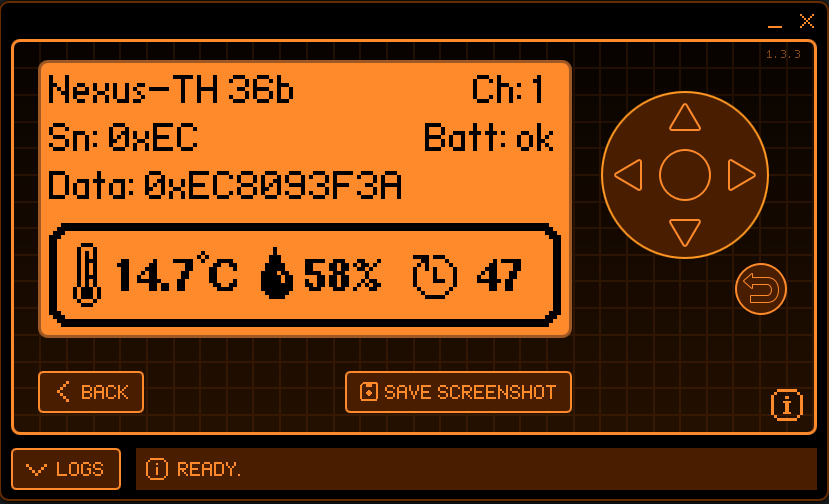
For more details, check my article on reverse engineering and analyzing radio communications on the ISM 433 MHz band.
Attack 1: Replay
The core problem
These devices send the same radio signal every time. On most entry-level and mid-range models, there is no encryption and no rolling code.
The disarm signal sent by the remote is exactly the same each time it’s used.
Since we captured the signals during the mapping phase, we just need to replay them as-is to impersonate the remote and disarm the alarm.
Replay attack demonstration
The HackRF is an SDR transceiver (around 350–600 €). Its main advantage is range: depending on the antenna used, it can receive and transmit over several dozen meters.
You placed an implant near Toto’s house and captured all radio signals for several days. As explained earlier, you can determine whether a signal was sent by a sensor or by a remote.
You can now replay a disarm signal. Here I’m using a Flipper Zero to disarm the alarm after it’s been triggered.
In practice, it’s better to disarm the alarm before going in…
The replay attack works because the signal is static and this alarm has no frame counter.
Attack 2: Jamming
Why not just replay the disarm signal?
The replay attack to disarm the alarm works, but it has two drawbacks:
- The owner receives a notification that their alarm was disarmed.
- The disarm event appears in the mobile app logs.
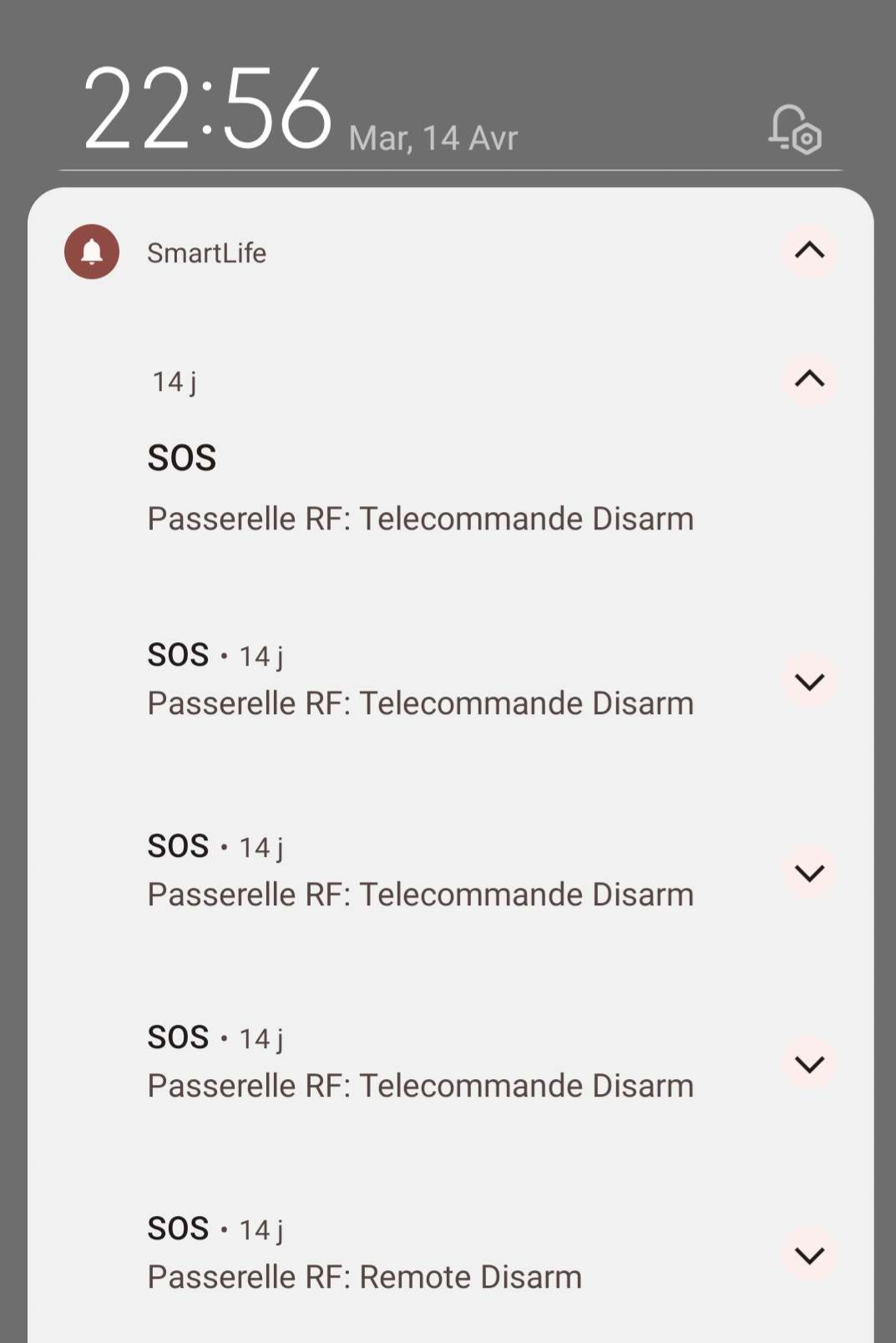
This is why it can be more useful to neutralize the alarm without disarming it, by preventing sensors from communicating with the panel.
How it works
Jamming means broadcasting interference on the 433 MHz frequency to drown out sensor signals. The panel no longer receives intrusion signals (motion sensor, door sensor), the alarm doesn’t trigger, and nothing appears in the logs.
Implementation
The HackRF broadcasts a noise signal on 433 MHz. The panel receives more noise than legitimate signals, drowning out the sensors.
In this video, the sensors keep sending radio signals to the panel, but the panel can’t see them because they’re completely drowned in noise. The alarm doesn’t trigger even when someone walks in front of the motion sensor.
Limits
Jamming is not always effective. To jam reliably, you need to transmit at a power level high enough to cover the sensor signals.
Also, the spectrum of a jammer is very distinctive and easy to detect with radio monitoring equipment.
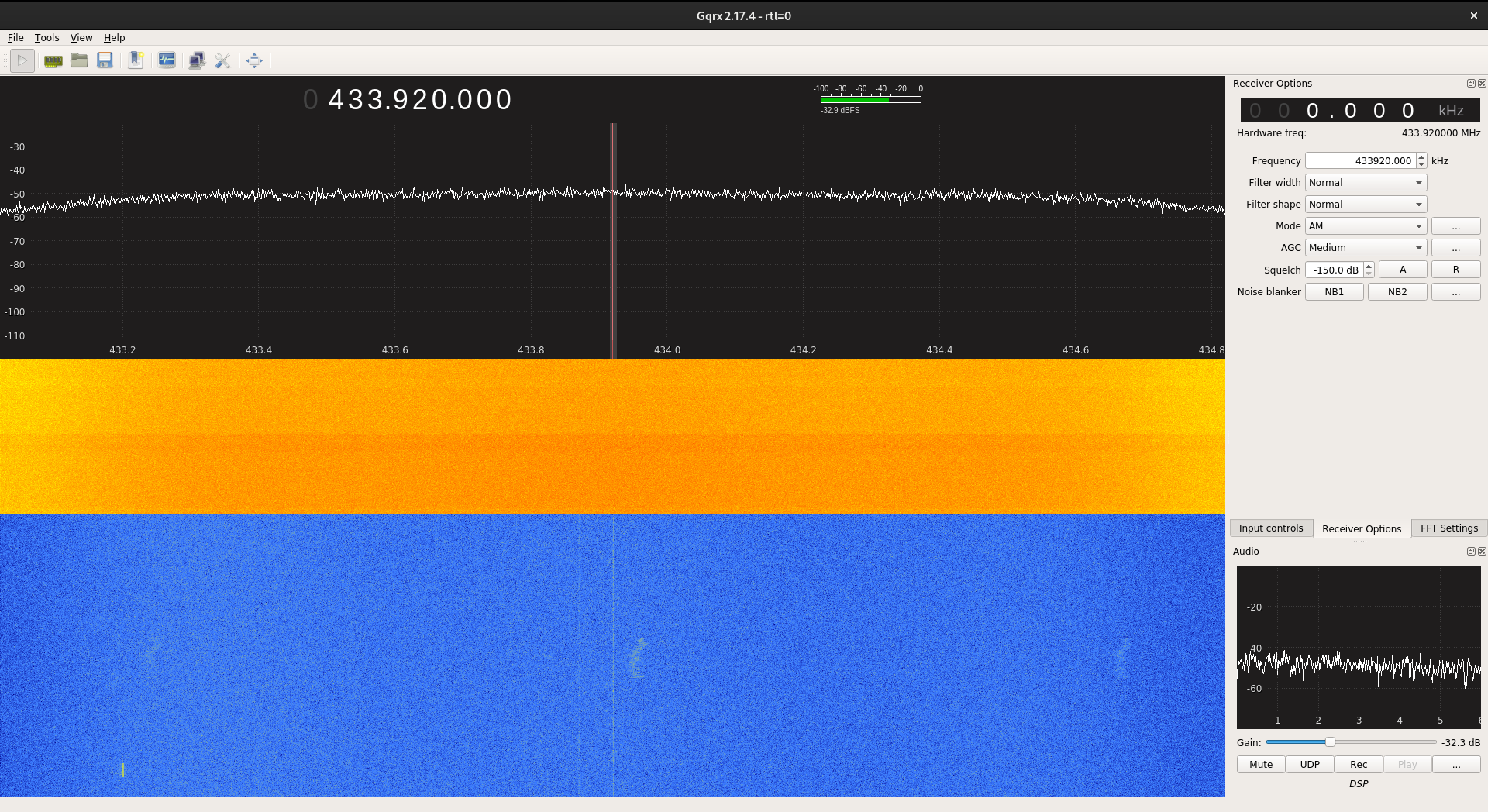
Here the 433.92 MHz frequency is completely saturated.
Reminder: using AND owning a jammer is illegal in France.
For testing purposes, the jamming was done at very low power, over a few meters and for a few seconds, to avoid interfering with any third-party system.
Mitigations
Most high-end alarms use encrypted communications across multiple channels, making the two attacks above much harder.
However, many entry-level and mid-range alarms are very light on security. Investing in a high-end alarm will prevent or at least make these attacks significantly harder.
Rolling Code
Rolling code prevents replay attacks. The idea: each transmitted signal is different. An encrypted frame counter is included in the transmission. The receiver decrypts the signal, checks the counter, and makes sure the frame hasn’t been received before (typically by accepting the next N expected codes to tolerate out-of-range button presses).
Some attacks exist, such as the RollJam attack: the attacker jams the reception while capturing the code transmitted by the remote, then captures a second code on the next press and replays the first. The attacker now holds the next valid code.
In practice, this attack is complex to pull off because you need to synchronize multiple SDRs with the victim’s button presses. You also need to use your valid code quickly because it becomes invalid as soon as the victim uses their remote again.
That said, rolling code isn’t always implemented correctly… And when it isn’t, it can be bypassed… we’ll talk about that in a future article…
Multi-channel / Frequency Hopping (FHSS)
Some high-end alarms (Ajax or certain Daitem models) communicate across multiple channels in the 868 MHz band, hopping between frequencies on each transmission (FHSS: Frequency Hopping Spread Spectrum).
This makes signal interception more complex because you need to capture on all possible channels simultaneously.
Jamming is also harder because you need to cover a wider frequency range or jam on multiple frequencies.
Jamming Detection
Some systems include jamming detection: the panel monitors the noise level on its communication frequency. If the noise floor exceeds a threshold for an unusual length of time, it considers a jammer to be active and triggers an alert (siren, notification).
Backup Channel (GSM/4G/Ethernet)
Some panels have a GSM/4G or Ethernet connection in addition to the radio link. If the radio is jammed, the alert can go through this backup channel. This is an effective mitigation, as long as the backup channel itself is not also jammed.
As with Wi-Fi cameras, the most robust solution remains wired. An alarm where sensors are connected to the panel by cable is immune to radio jamming and replay attacks.
But this requires a much more complex installation because of the cables that need to be hidden.
Conclusion
The vulnerabilities presented here are not specific to any one brand. They are structural weaknesses shared by the vast majority of entry-level alarms communicating on 433 MHz.
There is no 100% effective solution against a determined attacker. However, an alarm, even an imperfect one, combined with a visible warning sign will deter most attempts.
Opportunistic burglars generally don’t know these techniques and prefer unprotected targets. The deterrence-to-cost ratio of a consumer alarm is still favorable, as long as you’re aware of its limits.